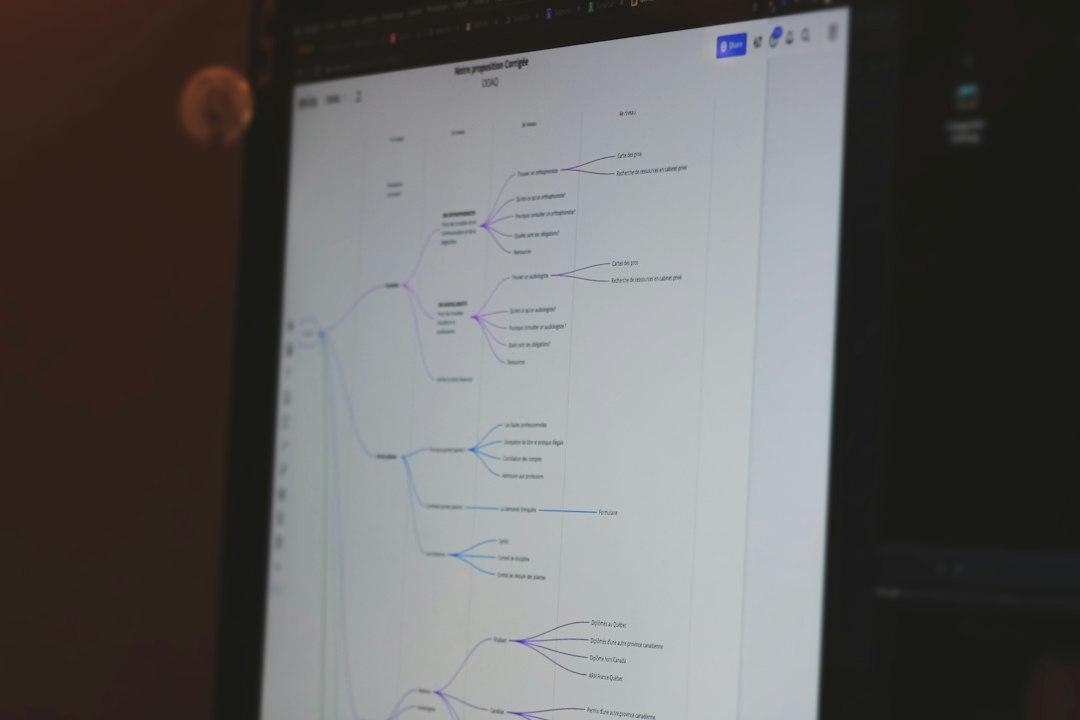
Short answer: attach client context to each step of the workflow instead of preloading it into one giant prompt. An agent that retrieves three specific facts at step four will beat an agent carrying forty pages of notes through every step. The dumping approach feels safer, and that is exactly why so many founders get vague output from an agent that should be useful.
I have watched this happen in my own builds. Someone pastes the whole onboarding doc into the system prompt, hits run, and gets back a proposal that sounds like it was written by a committee that never met the client. Then they blame the model. The model is usually fine. The retrieval is the problem.
Why does dumping all the client context into the prompt backfire?
Context windows got huge, and that made everyone lazier. I did it too. If it fits, why not include everything?
Two reasons. First, relevance. When you put forty pages into a prompt, the model has to work out which three sentences matter. It does that job worse than a lookup does. The line about the client's fiscal year ending in March sits next to a paragraph about their 2022 office move, and the model has no signal about which one is live. So it hedges, or it picks wrong, and you find out in a client meeting.
Second, contradictions. Client context is full of them, because businesses change. The old scope doc says fixed fee. The new note says hourly. Both live in the prompt. The agent picks one and writes it into a proposal with total confidence. That is the annoying part. It does not sound unsure. It sounds certain and wrong.
I once shipped an agent that opened every proposal with the client's founding story, because the founding story was in the prompt and nobody told it otherwise. Nobody needs the founding story on a change order.
Big prompts also cost more and run slower, which matters once an AI agent workflow is firing hundreds of times a week. But the quality problem is the one that costs you clients.
What actually counts as client context?
What's becoming clearer to me is that founders lump four different things under the word context, and only one of them belongs in the prompt.
Identity: the stable facts. Who the client is, who the decision maker is, how they like to be talked to, what they never want mentioned. Maybe 200 words. This can live in the prompt forever.
Rules: hard constraints for this account. Never quote timelines in a first draft. Always copy the ops lead. Also small, also permanent.
History: what has been delivered, what went wrong, what got renegotiated. This grows without limit. It should never be preloaded.
State: what is happening this week. Open threads, current numbers, the thing they emailed about on Tuesday. This changes constantly and is the most valuable context per token you have.
Identity and rules go in the prompt. History and state get retrieved per step. That split alone fixes most of the garbage output I see from no code AI agents.
How do you break a workflow into steps that each pull their own context?
Write the workflow out in plain English first, numbered, like you were explaining it to a new hire. Then for each step write three lines: what goes in, what comes out, what this step is allowed to look up.
A rough version from a proposal workflow I run:
- Read the discovery call notes and pull out the client's stated goals. Allowed to look up: notes from the last 30 days.
- Match those goals to services we have delivered before. Allowed to look up: the service catalog plus past projects for this client only.
- Draft scope and pricing. Allowed to look up: the current rate card and any discount rules tied to this account.
- Write the email. Allowed to look up: tone preferences and the last three emails we sent this person.
Then build it so each step fetches its own slice. In n8n or Make, that is a lookup node before the model call, filtered by client ID and step. In Airtable, that is a view per step over the same base. In a no code AI agent platform, it is a separate tool call with a narrow query.
The constraint I set for myself: no step gets more than about six facts. Six. If a step seems to need more, the step is doing too much and probably should be two steps.
How do you build the retrieval layer without writing code?
You do not need a vector database to start. I have seen twenty person teams run this on Airtable and Google Drive.
The setup that works for most founders I talk to: one Airtable base, one table for clients with fields for identity and rules, plus a linked table for notes where every record carries a client ID and a date. Then a filtered lookup inside your workflow tool. That handles the structured facts.
For the messy text, meaning meeting notes, email threads, and long docs, you need something that searches by meaning. Pinecone and Supabase both work, and n8n has nodes for each. Mem0 is worth a look if you want memory that writes itself as the agent works. Chunk notes by conversation or topic rather than by character count, tag every chunk with client ID and date, and filter on those tags before you search. Untagged retrieval is how you get an agent confidently quoting a different client's numbers.
The cheap version: one Drive folder per client, one doc called current state at the top, and an instruction that the agent reads that doc first and only goes deeper if it needs to. Ugly. Works.
This is the same architecture I use to run an AI agent operating system across multiple businesses, and it did not start with anything fancy.
How do you keep client context from going stale?
Add a write-back step. Every workflow should end by updating the record it just used: what was sent, what changed, what is still open. Skip that and you have built an agent that gets dumber every week.
Two habits make the difference. Every fact gets a date, and the agent is told to flag anything older than 30 days on an active account instead of asserting it. And one named human owns each client record. Not the team. One person. Shared ownership of a database means nobody updates it, and you find out six weeks later when the agent quotes a contract that already ended.
FAQ
Can I skip all this and just use a million token context window?
You can, and for a single one-off task it is fine. For a repeating agentic workflow it is a trap. A bigger window does not fix competing or stale facts, and it makes every run slower and more expensive. Use the long window as the fallback when retrieval comes back empty, not as the plan.
Do I need a vector database to do context engineering for founders?
No. Under a few hundred documents, structured lookups in Airtable or Notion plus a well tagged Drive folder will beat a half configured vector store. Add Pinecone or Supabase when the volume of unstructured text is real, and not before.
How do I know the agent actually pulled the right context?
Log it. Every run should record which record IDs and chunks went into each step. Then spot check ten runs a week by reading the retrieval log before you read the output. If the retrieval is wrong, the output was never going to be right.
I wrote the full playbook for this. How to Build Your Own AI Agent Operating System walks you through the exact architecture I use, step by step. You can get it at a.mastermindshq.business/ai-os-book.